Describe the problem you want to solve
Choose one everyday problem you would enjoy solving.
Write a clear sentence that Codex can build around.
Let’s do this
- 1In this guide
Start with a moment, not a list of features
Think of a small frustration: forgetting to water a plant, losing a favourite recipe or keeping track of a collection. Who has the problem, and when does it happen? You can use your own idea throughout this course.
- 2In this guide
Finish this sentence
“This app helps [person] to [do something] so that [benefit].” Keep it specific enough that someone could try the app and tell you whether it helped. “An app for everyone” is too broad for a first version.
- 3In this guide
Save your rough idea
Open Your app idea in the navigation. Add a working name, who it is for and its main job. Leave the feature boxes empty if you are still choosing. Save the form. These answers stay in this browser.
- 4In this guide
Keep sensitive details out of the brief
Describe the job using made-up example information. You do not need to paste family members’ private records, passwords or personal account details into a chat to explain what your app should do.
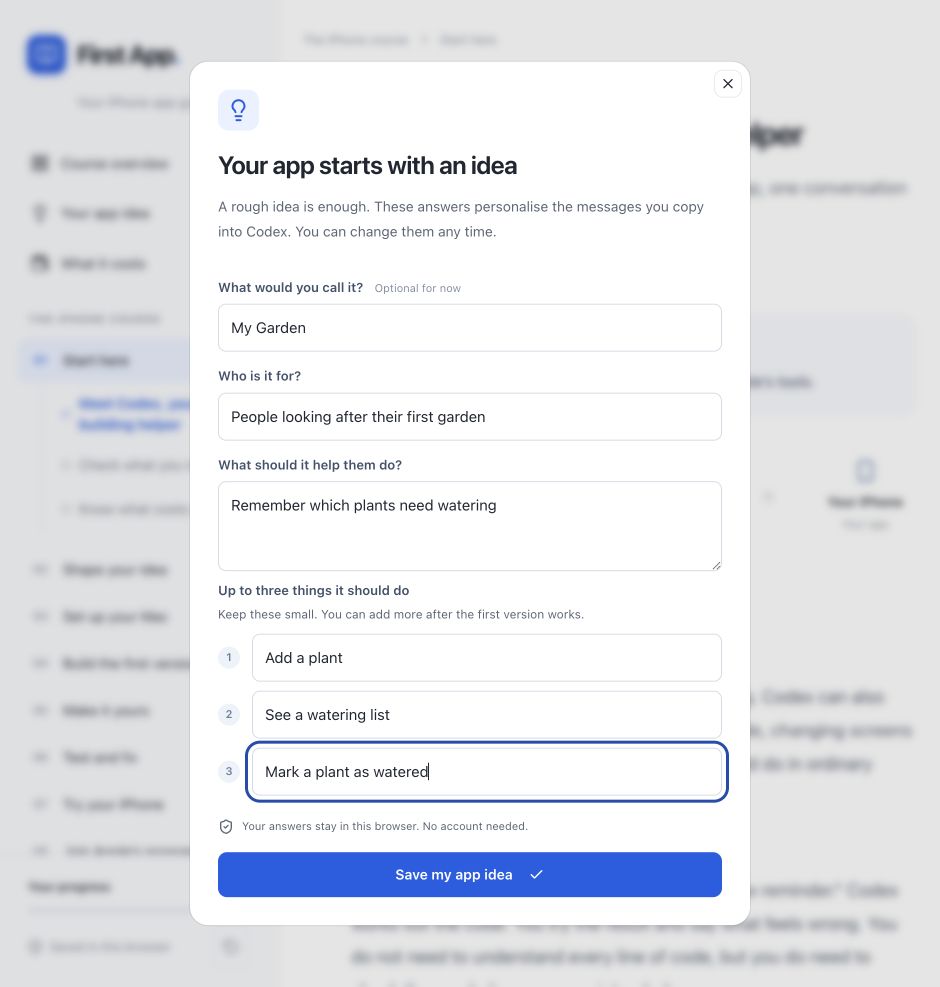 View larger
A message for Codex
I want to make my first iPhone app for the people I want to help. It should help them to [describe the problem my app should solve]. Ask me one question at a time to turn this into a clear, useful first app. Focus on the real problem before suggesting features. Finish with a one-sentence description I can understand.
What you should see
Your idea has a person, a job and a reason to exist. It does not need a clever name or a finished design yet.
If you get stuck
Checked 7 September 2026. Screens can change; the official guides below have the latest steps.
Official Codex setupApple’s design guidance