Understand Apple membership
You can keep learning and testing on your own iPhone for free. Join Apple’s paid programme when you are ready for TestFlight or the App Store.
Decide whether to enrol now, and understand which name people will see.
Let’s do this
- 1On your Mac
Know what membership adds
Membership is what lets you use TestFlight with family, send the app to the App Store, and switch on features such as iCloud. It costs US$99 each year, or the price Apple shows for your country. Your ChatGPT payment does not cover it.
- 2On your Mac
Choose individual or organisation
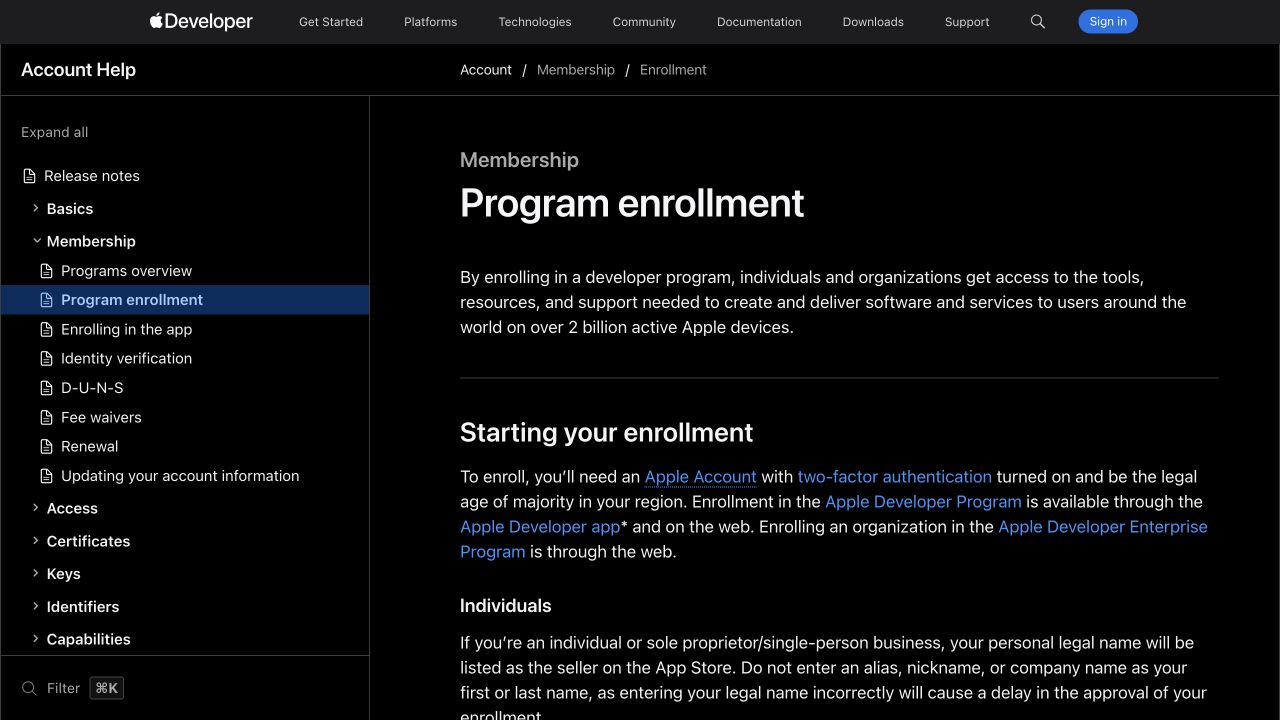
For an individual enrolment, Apple uses your legal personal name as the App Store seller name. A nickname or an app name does not replace it. An organisation must be a recognised legal entity and meet Apple’s checks.
- 3On your Mac
Check you are ready
Have an Apple Account with two-factor authentication, a legal name and address, a way to verify your identity and a supported payment method. You must meet the legal age requirement in your region. Use your own account.
- 4On your Mac
Make a deliberate choice
Read Apple’s enrolment page and the local annual price. If you are still changing the basic idea, return to the free testing lessons and join later. Paying does not guarantee App Store approval.
Apple Developer enrolment (opens a new tab)
 View larger
A message for Codex
Review my first iPhone app, an iPhone app for the people I want to help that helps them [describe the problem my app should solve]. Explain which of its current features need paid Apple membership and which can still be tested for free. Do not enrol, purchase anything or change signing settings.
What you should see
You know the annual cost, your likely public seller name and why you would join.
A couple of words, explained
- Seller name
- The person or organisation Apple identifies as the provider of an app.
If you get stuck
Checked 7 September 2026. Screens can change; the official guides below have the latest steps.
Apple Developer enrolmentApple’s free developer accountApple’s App Review guidance