Keep your first version small
A finished small app teaches you more than an unfinished giant one.
Choose up to three starting features and a clear stopping point.
Let’s do this
- 1In this guide
Choose one job that really works
Use the main job from your worksheet. Pick the smallest action that makes it useful, such as adding and remembering a single kind of item.
- 2In this guide
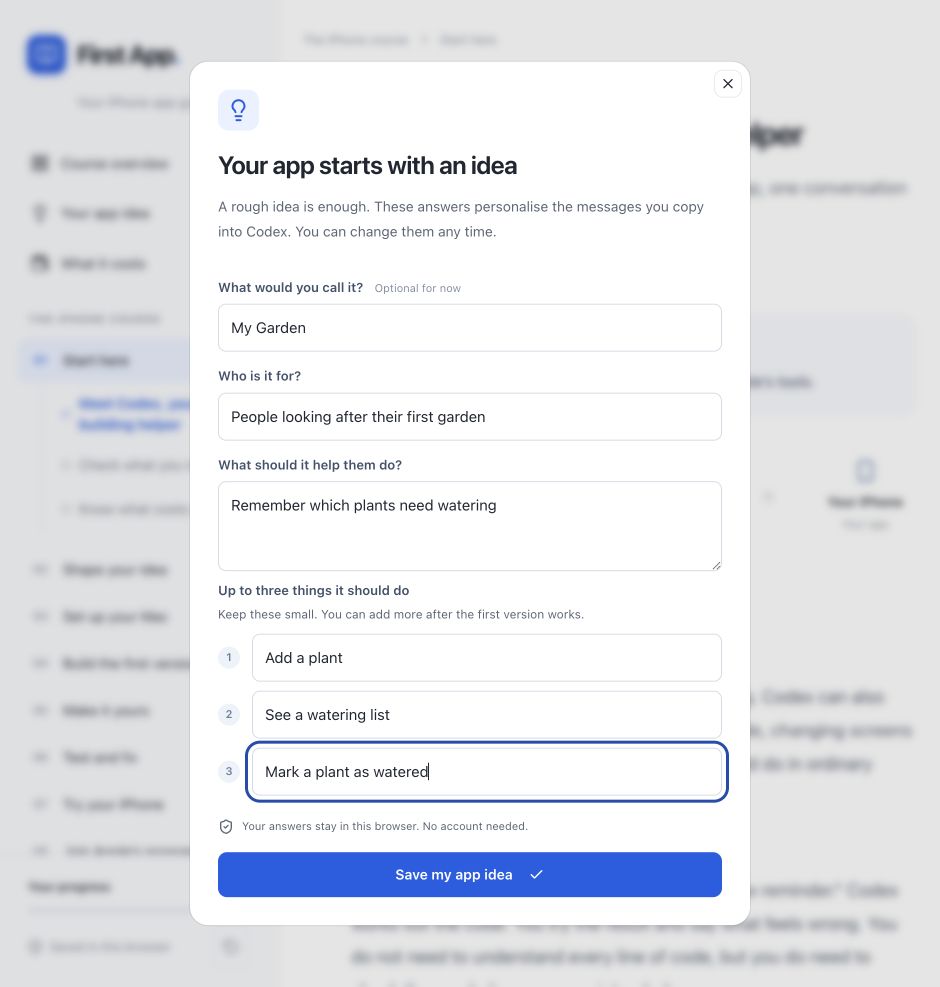
Fill the three feature boxes
Open Your app idea. Add up to three short features. For example: add a plant, see plants, mark a plant as watered. These are examples; keep the features relevant to your own app.
- 3In this guide
Write a “later” list
Sharing, accounts, payments, AI, notifications and fancy animations may be useful later. Keep them out of the first build unless the main job truly cannot work without them. If essential, ask Codex to explain the extra setup before starting.
- 4In this guide
Define what done means
Write a short check: “I can add an item, find it again after closing the app, and change it.” Change the check to match your app. You will use it when testing.
 View larger
A message for Codex
The first features of my first iPhone app are: [choose up to three small features]. Its job is [describe the problem my app should solve] for the people I want to help. Reduce this to the smallest useful first version. Separate essential features from later ideas. Give me three simple checks that will show it works. Explain any feature that needs an account, online storage or extra cost. Do not build yet.
What you should see
Your worksheet has a small first version, and you can tell what you will test when it is finished.
If you get stuck
Checked 7 September 2026. Screens can change; the official guides below have the latest steps.
Official Codex setupApple’s App Review Guidelines