Show Codex a problem
A good problem report is a small story: what you did, what you expected and what happened.
Give Codex enough information to make a focused fix.
Let’s do this
- 1In Codex
Repeat the smallest set of steps
For example: open the app, tap Add, type a name, tap Save. Note whether it goes wrong every time. While you are working it out, do not change anything else.
- 2In Xcode
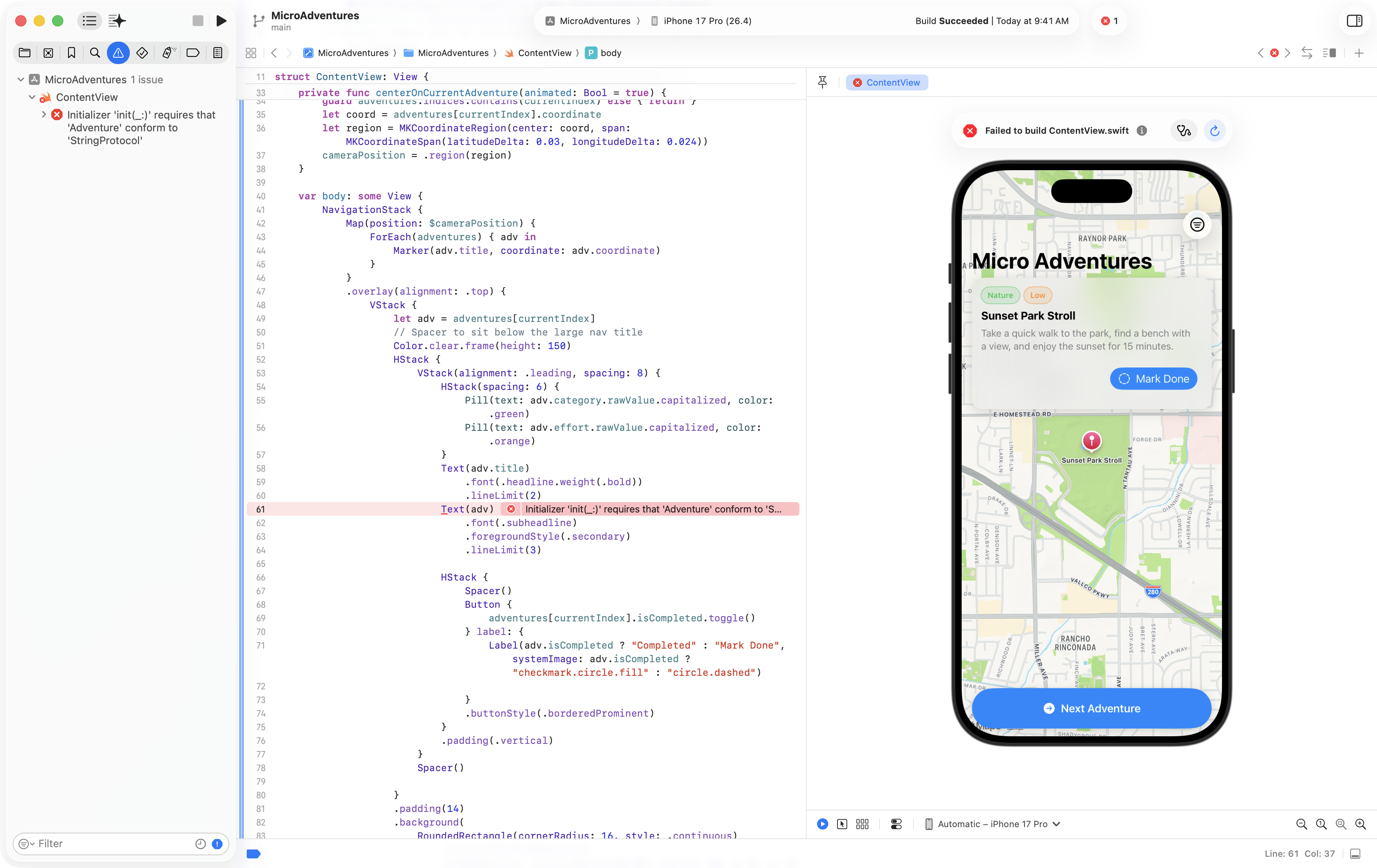
Copy the useful error
In Xcode, open the issue navigator using the warning-triangle icon. Start with the first relevant error and include its file name. If the app crashed, include the message Xcode shows. Keep passwords and secret values out of the report.
- 3On your Mac
Attach a screenshot when the problem is visual
Use Shift-Command-4 on your Mac to capture the relevant area, then attach that image to the Codex conversation. Hide private data first. Say what is wrong, because a screenshot does not explain the expected behaviour by itself.
- 4In Codex
Ask for one fix and retest it
Use the message below, replacing the bracketed parts with what you saw. Ask Codex to explain the cause, fix the smallest relevant part and rerun checks. Then repeat your original steps in the app.
 View larger
A message for Codex
In my first iPhone app, I did: [the exact steps]. I expected: [the result]. Instead: [what happened]. The error or screenshot is: [attach or paste the relevant details, without secrets]. Find the cause and explain it simply. Make the smallest fix, preserve unrelated behaviour, run the relevant checks and tell me how to verify the original problem is gone.
What you should see
The original steps now work, or you have a clear explanation of what is still blocking them.
If you get stuck
Checked 7 September 2026. Screens can change; the official guides below have the latest steps.
Run on a simulator or deviceOfficial Codex setup