Save and restore working versions
Keep a way back before making a big change.
Create a named checkpoint and know how to recover it.
Let’s do this
- 1In Codex
Start from something that works
Run your main checklist. A checkpoint is most useful when you know what it contains and what worked. Ask Codex to list any outstanding changes first.
- 2In Codex
Save a named checkpoint
Ask Codex to make a local Git commit. Git is a history of your project files; a commit is a named checkpoint. You do not need to publish the code on GitHub. Ask it to exclude passwords, private keys and build output.
- 3In Codex
Make one change after the checkpoint
Give Codex a small task. Test it. If the result is good, save another checkpoint with a name such as “Add plant works and survives restart”.
- 4In Codex
Recover carefully when needed
Ask Codex to explain the files it would restore and preserve current work before undoing anything. Prefer a reversible restoration. Do not blindly run a command that discards all changes or deletes the project folder.
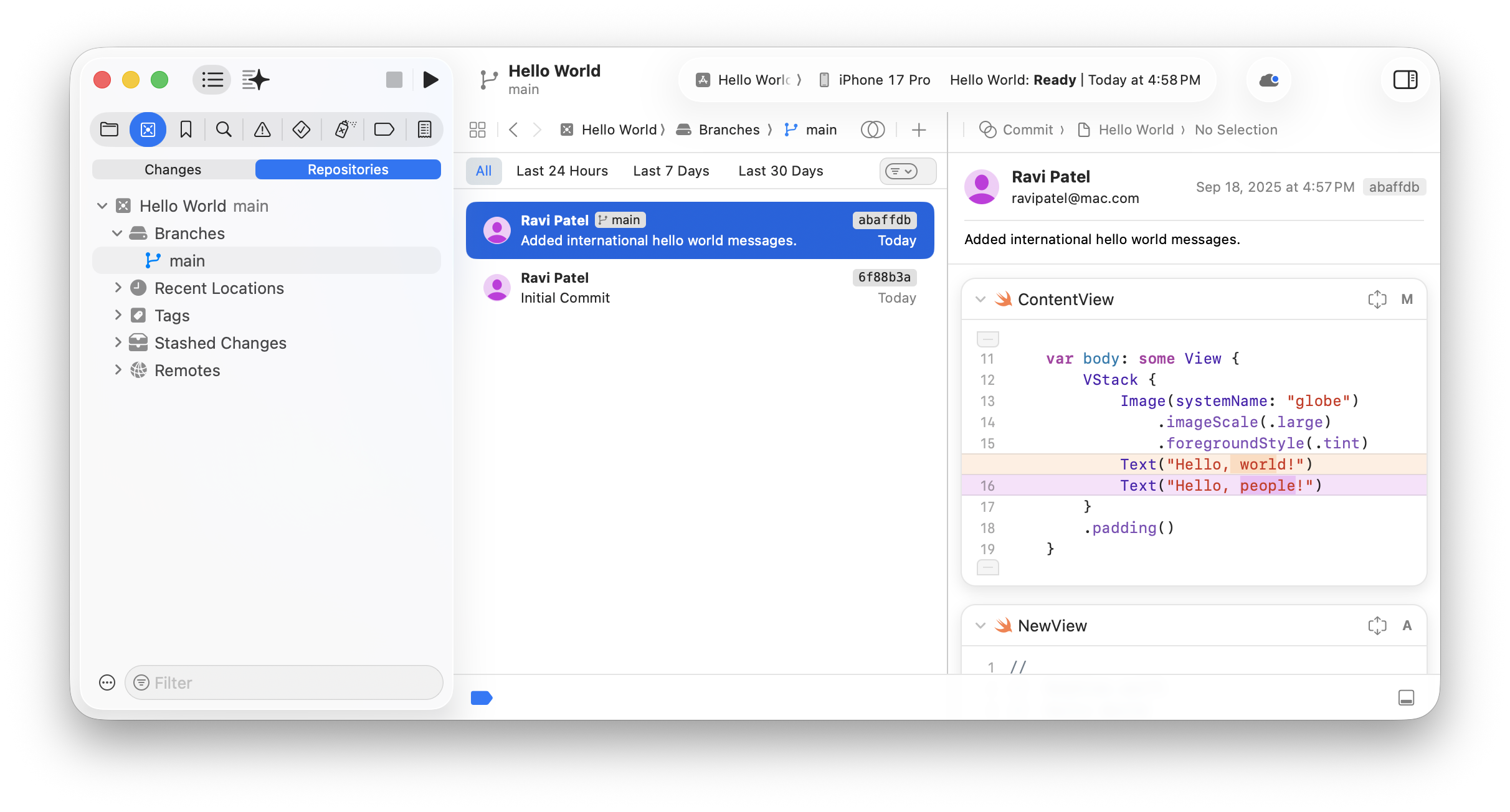 View larger
A message for Codex
Check the current changes in my first iPhone app. Explain what works and what is untested. If the app passes our main checks, save a local Git checkpoint with a clear description. Exclude secrets and generated build files. Do not publish the repository. Show me the checkpoint name and explain how we could safely restore it while preserving later work.
What you should see
You have a named checkpoint and know which app behaviour it contains. Restoring it is a deliberate choice, not a guess.
A couple of words, explained
- Git
- A tool that keeps a history of changes to your project files.
- Commit
- A named checkpoint in that history.
If you get stuck
Checked 7 September 2026. Screens can change; the official guides below have the latest steps.
Projects in CodexSkills and project instructions