Invite family through TestFlight
TestFlight is Apple’s free app for trying an app before release. Invite family as external testers, so they can test without managing your developer account.
Send a small group a private testing invitation after Apple permits external testing.
Apple’s beta review has no guaranteed completion time. Invitations become useful once the build is available.
Let’s do this
- 1On your Mac
Create an external group
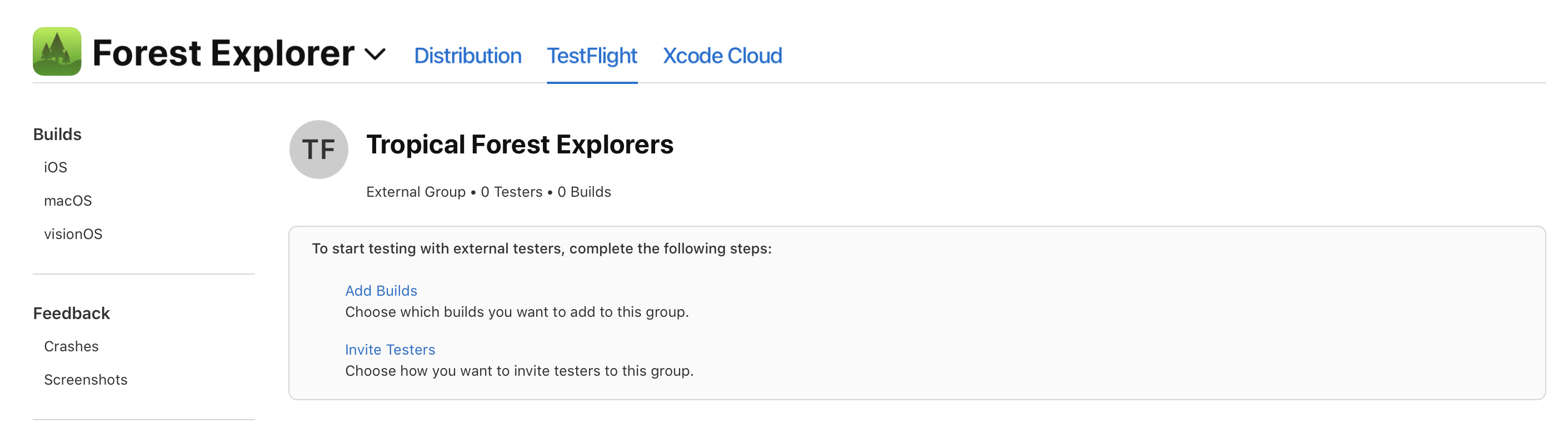
Open your app in App Store Connect → TestFlight. Add a group under External Testing and give it a name such as Family. Do not add relatives as App Store Connect team members just to test the app.
- 2On your Mac
Add the build and testing details
Open the group, choose Add Builds and select the processed build. Explain what needs testing. Complete the beta description, contact details and review information. Provide a working review account and clear steps if signing in is needed.
- 3On your Mac
Send it for beta review
Follow the prompts to submit the build for TestFlight App Review if required. The first external build normally needs review. Resolve any questions and wait until the build is available for testing. This is separate from App Store release review.
- 4On your Mac
Invite a few people by email
In the external group choose Invite Testers and use the email invitation option. Tell family to install TestFlight from the App Store, open the invitation on their iPhone and accept it. A TestFlight build expires after 90 days; upload another when needed.
Invite external TestFlight testers (opens a new tab)
 View larger
A message for Codex
Write a friendly TestFlight “What to Test” note for my first iPhone app. Its main job is [describe the problem my app should solve], and its starting features are [choose up to three small features]. Give family three short tasks and ask what felt confusing. Include a reminder that this is a test version and sample information is best.
What you should see
A relative can accept an invitation in TestFlight and open the correct build on their iPhone.
If you get stuck
Checked 7 September 2026. Screens can change; the official guides below have the latest steps.
Invite external TestFlight testersTestFlight overview