Run the virtual iPhone
The simulator is a virtual iPhone on your Mac. It lets you try the app before using your real phone.
Open and use the app in an iPhone simulator.
First builds and the first simulator launch can take several minutes.
Let’s do this
- 1In Xcode
Choose an iPhone destination
Look in the Xcode toolbar beside the app’s name. Open the run destination menu and choose a named iPhone simulator whose iOS version is installed. “Any iOS Device” is for making an upload build, not for running a simulator.
- 2In Xcode
Install a missing simulator if needed
If no suitable iPhone appears, install iOS simulator support from Xcode Settings, under Components or Platforms. Let the download complete, then choose the simulator again.
- 3In Xcode
Press the triangle Run button
Click the Play-shaped Run button in Xcode, or choose Product, Run. Xcode builds the app and opens the simulator. The first launch may take longer while the virtual device starts.
- 4In Xcode
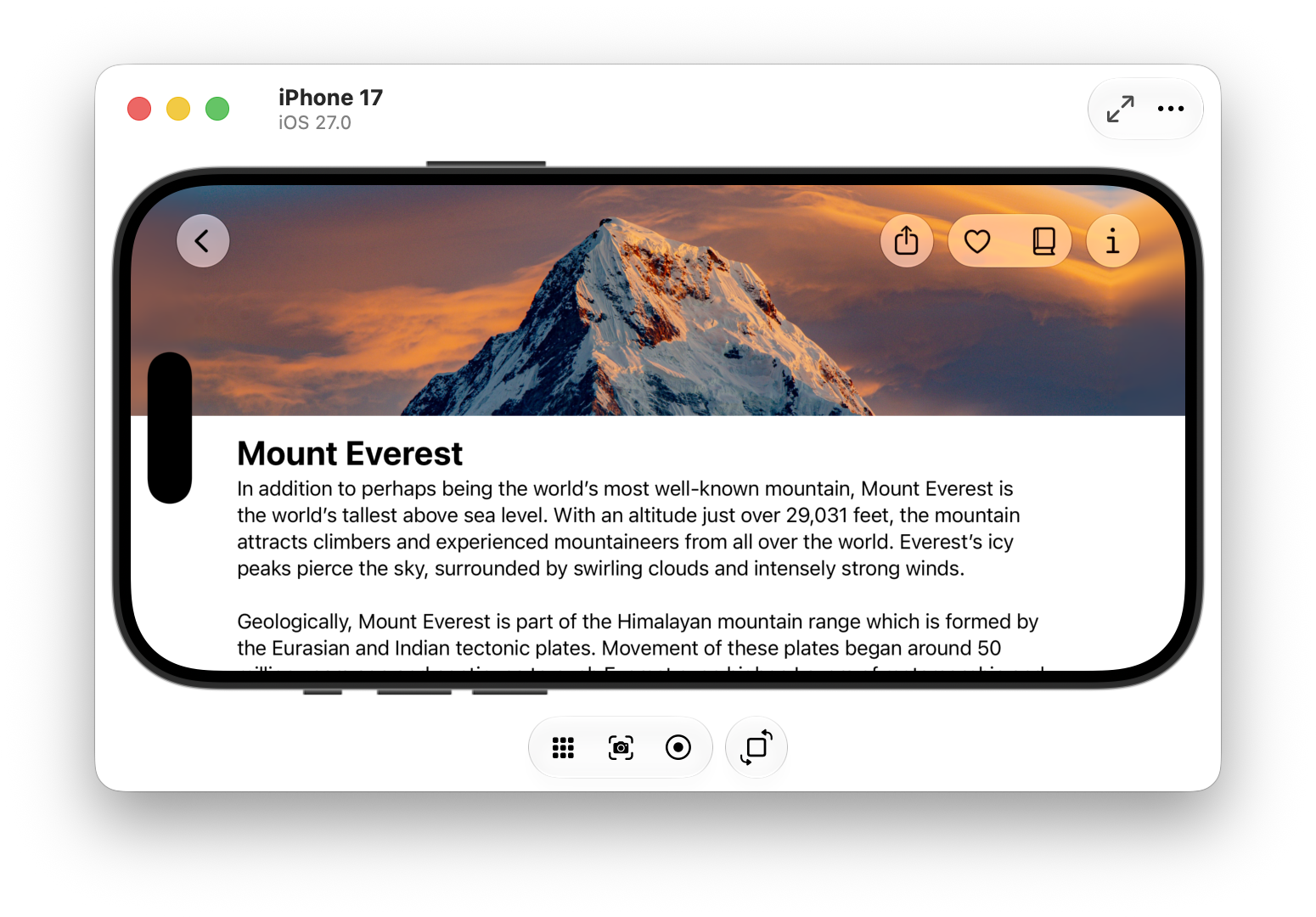
Try it like a phone
Click where you would tap. Check that the app’s title and main screen match your idea. Use Xcode’s Stop button to end the run. After a code change, press Run again to test the new version.
 View larger
A message for Codex
Help me run my first iPhone app in an installed iPhone simulator. Check the project’s runnable app target and supported iOS version. Use an actual simulator destination, not a generic archive destination. If the build fails, fix the first real error, run the build again and explain the result. Tell me which Xcode button or menu to use.
What you should see
An iPhone simulator opens with your app running. You can see the first screen and try its controls.
A couple of words, explained
- Run destination
- The iPhone that Xcode will send your app to. It can be a virtual one or your real phone.
- Scheme
- Xcode’s saved recipe for which app to build and how to run it. Your project comes with one, named after your app.
If you get stuck
Checked 7 September 2026. Screens can change; the official guides below have the latest steps.
Run on a simulator or deviceXcode system requirements