Complete Apple’s declarations
Apple asks you to declare three things: what is in your app, what information it handles, and where you want to sell it. Your answers must cover the app itself and every service or ready-made part it uses.
Complete the required declarations with answers you can explain.
Checking unusual data uses, encryption or regional obligations may need extra time.
Let’s do this
- 1On your Mac
Answer the privacy questions
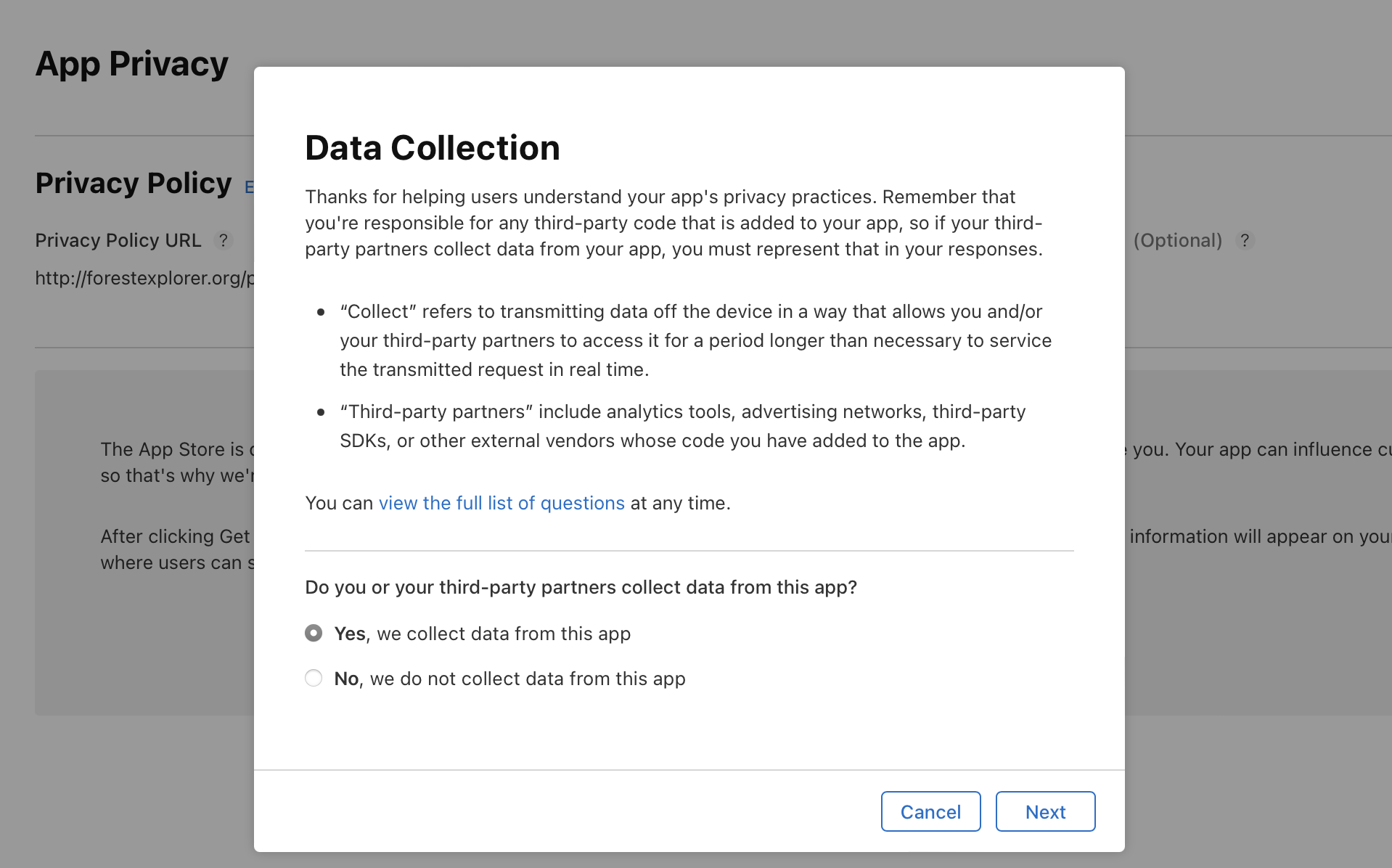
Open App Store Connect → your app → App Privacy. Add the address of your privacy page. Then answer the questions about what your app collects, what it links to a person and whether it tracks anyone. Answer from a real list of what your app stores, including anything it sends to another service. Saving only on the phone is not the same as sending information to a server. Publish the answers.
- 2On your Mac
Set the age rating
In App Information, complete the current age-rating questionnaire. Include content people can add, messaging, web access and any other relevant features. Choose answers based on what users can encounter; do not pick a low rating just because the design looks friendly.
Set an app age rating (opens a new tab) - 3On your Mac
Answer the encryption questions
Almost every app uses some encryption, even if only to load a web page. Ask Codex to list everywhere your app uses it, including any ready-made parts you added, and to explain any exemption it thinks applies before you record an answer. Then ask it to check the other things Apple asks for now: privacy manifests, signed add-ons and the wording that explains why you need each permission. Do not guess “No”.
Apple’s encryption questions (opens a new tab) - 4On your Mac
Choose price and countries
Set the price to Free and choose the countries you want to offer the app in. Complete the agreements, the content-rights questions and anything your chosen countries require. If you include the EU, read Apple’s trader-status questions and give the verified details if you count as a trader. Being free does not by itself decide that.
EU trader status requirements (opens a new tab)
 View larger
A message for Codex
Audit my first iPhone app for App Store declarations. Inventory all collected data, third-party libraries, tracking, permissions, encryption, privacy manifests and user-generated content. Explain how the actual app affects privacy answers, age ratings and export-compliance questions, with current official Apple sources. List unknown facts for me to resolve. Do not choose legal, trader or encryption answers by assumption, and do not submit anything.
What you should see
Every required declaration is complete, with evidence from your actual app and no unexplained guessed answers.
A couple of words, explained
- Declaration
- An answer you give Apple about your app, such as what information it collects.
- Privacy manifest
- A small file that lists what your app, or a part you added, collects and why.
- Export compliance
- Apple’s questions about apps that use encryption. Every release has to answer them.
If you get stuck
Checked 7 September 2026. Screens can change; the official guides below have the latest steps.
App privacy in App Store ConnectSet an app age ratingApple’s encryption questionsEU trader status requirementsUpcoming submission requirementsApple’s App Review Guidelines