Submit and respond to Apple
You are ready to ask Apple to review the app. Apple decides whether it meets the requirements and may ask for changes.
Send a complete submission and know how to respond to review feedback.
Apple’s review time varies. A submitted app is not guaranteed approval or a particular release date.
Let’s do this
- 1On your Mac
Give the reviewer a clear route
In the iOS version’s App Review Information, enter contact details and short instructions for the main features. If the app needs an account, provide a working review account with sample data and any other required access. Keep the service online; do not supply your personal Apple password.
- 2On your Mac
Choose the build and release option
Select the tested build in the version’s Build section. Check the listing, screenshots, declarations and support links. Choose manual release if you want to decide when it goes live after approval. Check Apple’s current submission requirements for your Xcode and SDK version.
Upcoming submission requirements (opens a new tab) - 3On your Mac
Send the submission
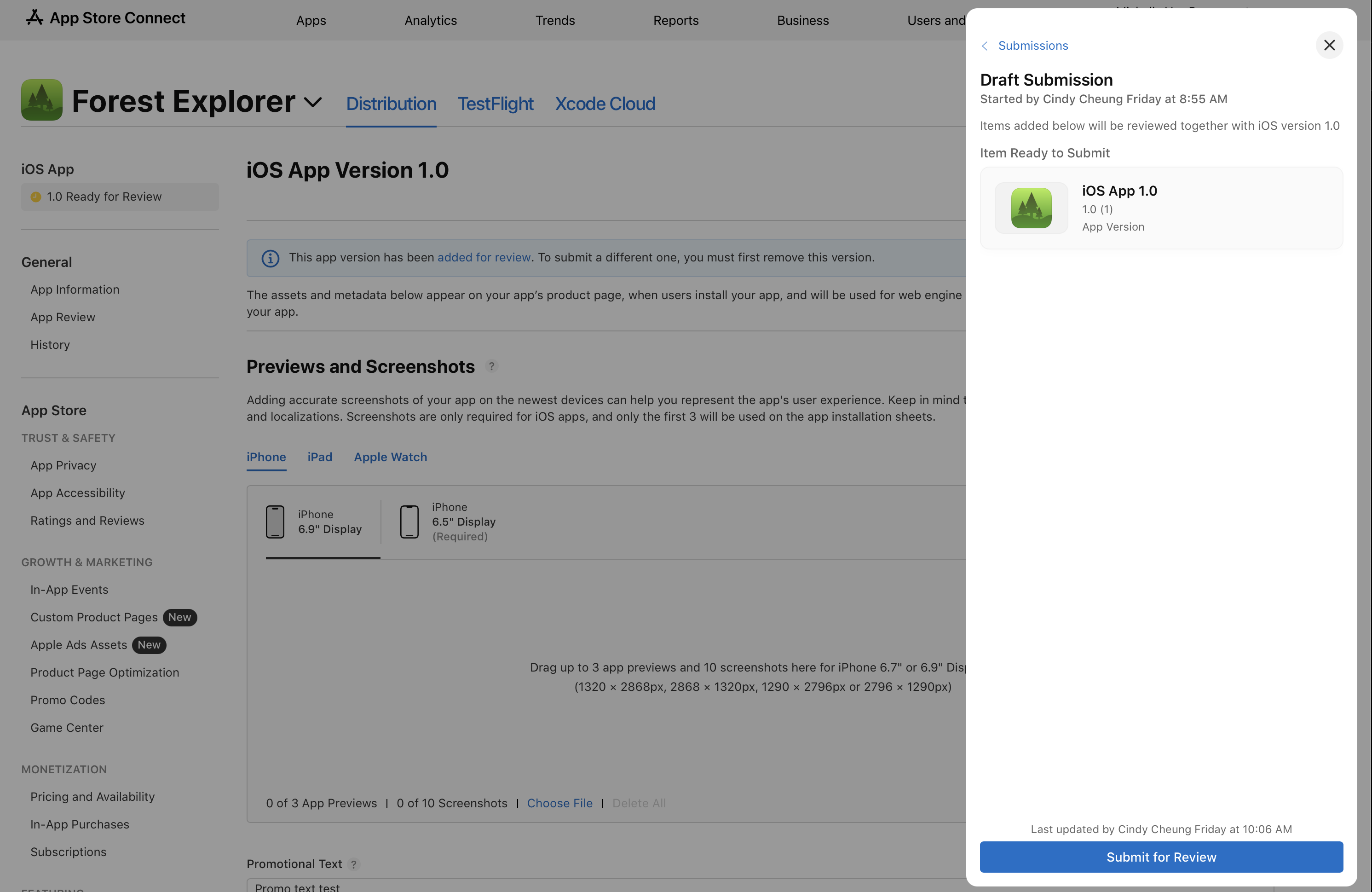
Click Add for Review, open the draft submission and check its contents. Then click Submit for Review. Adding to a draft alone does not send it. App Store Connect shows the review status.
Send a submission to App Review (opens a new tab) - 4On your Mac
Respond to questions calmly
Read the message and the cited guideline in App Store Connect. Ask Codex to explain the issue in plain language. Reply with facts, fix the app or listing as needed, test again and submit the corrected items. Appeal through Apple’s process if you believe a decision is mistaken.
 View larger
A message for Codex
Help me check my first iPhone app before App Review: matching tested build, main journey, reviewer access, privacy and support links, screenshots, declarations and current submission requirements. Then draft concise reviewer instructions using only real features. If I provide a review message, explain the cited guideline and propose a specific fix. Do not promise approval or submit on my behalf.
What you should see
App Store Connect shows that the submission has been sent, and you know where to read Apple’s response.
If you get stuck
Checked 7 September 2026. Screens can change; the official guides below have the latest steps.
Send a submission to App ReviewApple’s App Review guidanceApple’s App Review GuidelinesUpcoming submission requirements