Publish support and privacy pages
Apple needs a way for people to get help and understand their information. A small public website can provide both without a paid domain.
Publish working support and privacy pages at a free Cloudflare Pages address.
Let’s do this
- 1In Codex
Describe the real information flow
Ask Codex to inspect the app and any added libraries. List what stays on the phone, what goes to iCloud or Supabase, why it is needed, who can access it, how long it is kept and how users can delete it. Include error reporting or analytics if present. Check this yourself.
- 2In Codex
Make two simple web pages
Ask for a small static folder containing index.html for support and privacy.html for the privacy policy. Include the app name, a contact email you are happy to publish, help steps, an accurate policy and its date. Open both files on your Mac and read them. A static page is an ordinary web page that needs no database.
- 3On your Mac
Upload that folder to Cloudflare
Create or sign into a free Cloudflare account. Go to Workers & Pages → Create application → Get started → Drag and drop your files. Name the Pages project, upload only the finished web folder or ZIP and deploy it. Use the supplied project-name.pages.dev address.
Cloudflare Pages direct upload (opens a new tab) - 4On your Mac
Connect and check the pages
Open the public support page and /privacy.html on your iPhone without signing in. Add the support URL to the App Store version and privacy URL to App Privacy. Ask Codex to link the privacy policy inside the app too. Check every link and the contact address. A custom domain is optional.
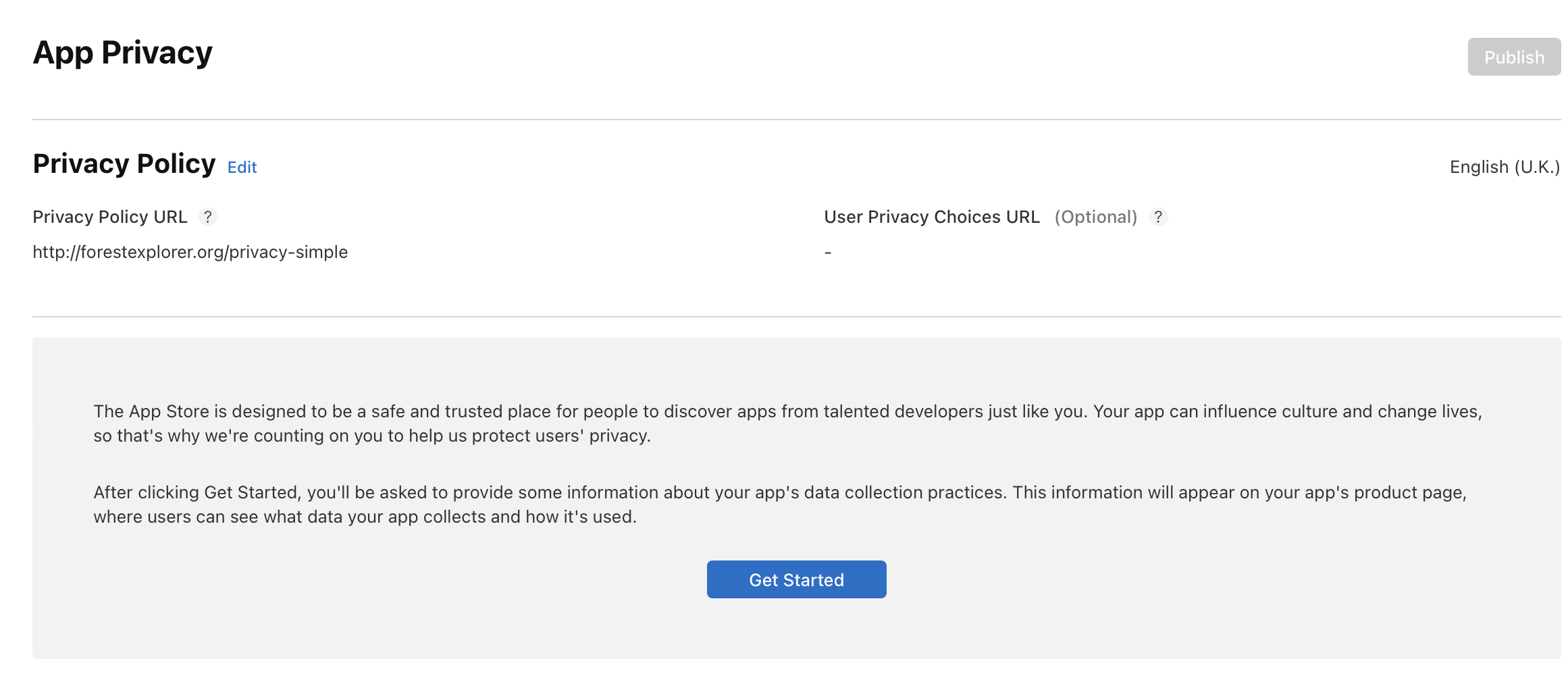 View larger
A message for Codex
Create a small static support website for my first iPhone app with index.html and privacy.html in a separate public-site folder. First inspect the actual app, libraries and online services and ask me for missing facts and a support email. Explain data collection, storage, sharing, retention and deletion truthfully. Do not assume no data is collected. Use accessible HTML and British English. No analytics, accounts, API keys or private files. Tell me exactly which finished folder to upload to Cloudflare Pages.
What you should see
Anyone can open both pages over HTTPS, and the app and App Store listing link to the correct addresses.
A couple of words, explained
- Domain
- An optional paid web address, such as example.com. The free pages.dev address is enough to start.
If you get stuck
Checked 7 September 2026. Screens can change; the official guides below have the latest steps.
Cloudflare Pages direct uploadApp privacy in App Store ConnectApple’s App Review Guidelines